 Sign In














 Email Marketing
 ABM
ABM  List Building
  Lead Generation
  Growth Hacker
  Digital Marketing
  Data Enrichment
  Software as a Service
  Data as a Service
  Waterfall Enrichment
  Startup
  Revenue Performance
  Job Change Tracking
  Customer Data Platform
  CRM
CRM 


 Knowledge Base
  Video Tutorials
  Help Center
  Tarpitting Scoring
  ROI Calculator
  About us
  Contact us
  Testimonials
  Automation
How to Check if an Email Address Is Valid for Free

11 Jun 2026
Sreerag
12 Minutes
Read

 Blog
FAQ
Case Studies
Knowledge Base
Video Tutorials
Help Center
SEG Validation
Tarpitting Scoring
ROI Calculator
About us
Contact us
Testimonials
Blog
FAQ
Case Studies
Knowledge Base
Video Tutorials
Help Center
SEG Validation
Tarpitting Scoring
ROI Calculator
About us
Contact us
Testimonials
You can check if an email address is valid for free by running it through a free email validator that checks syntax, domain existence, MX records, SMTP response, and disposable email detection all without sending a single message. The entire process takes under 5 seconds.
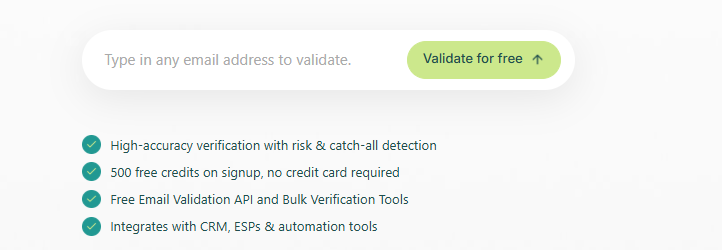
Try it now: Verify your email address free with Gamalogic →
Whether you’re a marketer cleaning a list, a developer building a signup form, or a recruiter tracking down a contact this guide explains every method, what each check actually does, and when a free validator is enough versus when you need more.
Invalid emails are silent killers for email campaigns. Most people don’t realize how quickly a dirty list damages deliverability.
A single typo like john@gmial.com instead of john@gmail.com causes an immediate hard bounce. Multiply that across a 10,000-contact list with a typical 5–8% invalid rate, and you’re looking at 500–800 bounces per campaign.
Here’s what that actually costs you:
You collect 1,000 leads from a webinar form. Just 5% are invalid or disposable. That’s 50 immediate bounces. Your open rates look lower. Your click rates look lower. Your ESP flags your account. Future campaigns even to valid addresses get worse inbox placement. All because of 50 bad addresses that could have been caught at the point of entry.
Email validation prevents this before it starts.
Checking if an email is valid is not just confirming it has an @ symbol. A professional email validator runs a layered series of technical checks. Here’s exactly what happens:
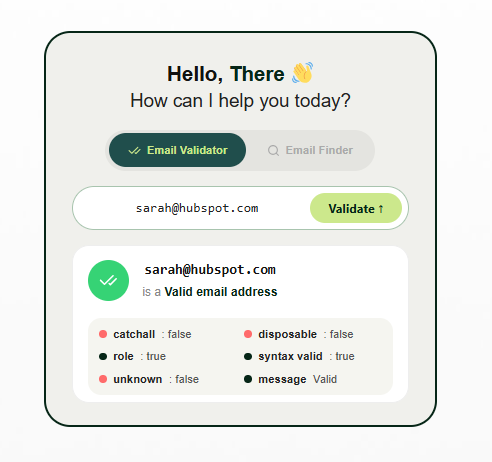
Confirms the email follows the correct structural format per RFC 5321 and RFC 5322.
✅ name@example.com — valid format
❌ nameexample.com — missing @ symbol
❌ @gmail.com — missing local part
❌ john@gmail — missing top-level domain
The local part (before @) can be up to 64 characters. The domain part can be up to 253 characters.
Confirms the domain (e.g., gmail.com, outlook.com) actually exists in DNS. Domains that don’t exist cannot receive email under any circumstances.
MX (Mail Exchange) records are DNS entries that tell the internet which mail server handles email for a domain. Without valid MX records, email delivery is impossible regardless of whether the address looks correct. This check catches many invalid business domains that have expired or been misconfigured.
SMTP verification simulates the first handshake of an email delivery reaching out to the mail server and asking if the mailbox exists without actually sending a message. The server responds with whether it can accept mail for that address. This is the most powerful check for catching inactive, deleted, or non-existent mailboxes.
Temporary email services like Mailinator, Guerrilla Mail, and hundreds of others let users create throwaway inboxes for free signups. These addresses are technically “valid” in format and MX terms but deliver zero long-term value and inflate bounce and churn rates. A good validator maintains a live blocklist of known disposable providers and flags them instantly.
Some domains are configured to accept all incoming email regardless of whether the specific mailbox exists. A message to xyznotreal@company.com won’t bounce it just disappears. Catch-all detection flags these addresses as “unknown” risk so you can decide how to handle them.
Addresses like info@, support@, admin@, sales@, and noreply@ are not personal inboxes. They’re often shared across teams, filtered aggressively, or rarely monitored. For marketing and outreach campaigns, role-based addresses typically have far lower engagement rates and should be treated differently.
Spam traps are email addresses maintained by ISPs and blacklist operators specifically to catch senders who don’t maintain clean lists. Hitting a spam trap can result in your sending IP being blacklisted. Advanced validators cross-reference known spam trap patterns to flag high-risk addresses.
Yes, you can fully verify whether an email address is real and deliverable without ever sending a message to it. This is the method professionals use, and it’s the only method that doesn’t put your sender reputation at risk.
It’s tempting to just send a test message and see if it bounces, but this is the worst way to check an address. Every bounce, spam trap hit, or undelivered message counts against your sending domain and IP, whether it was “just a test” or a real campaign. Do this a few dozen times and you’ve damaged your own deliverability before your actual campaign even goes out.
Modern email validators verify an address using three background checks — none of which involve contacting the recipient:
RCPT TO command, then disconnects before the DATA step that would actually deliver a message. The server’s response (accept/reject) reveals whether the mailbox is real, with nothing ever delivered.Because the connection is dropped before a message is transmitted, the recipient is never notified, no email lands in their inbox, and your domain’s sending reputation is completely unaffected.
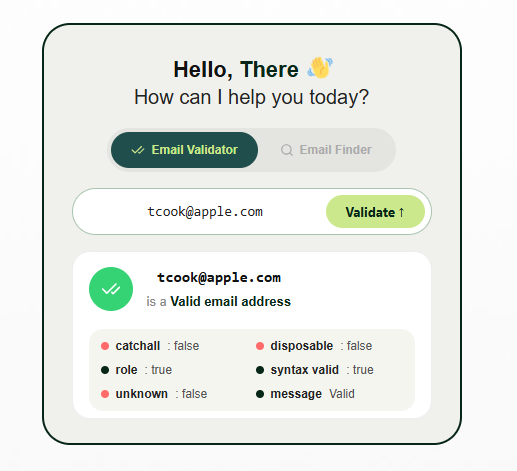
This is the correct method for checking a single contact, a lead from a spreadsheet, or a suspicious signup, any time you need certainty without the risk of a real send.
The simplest and most reliable method. Paste an email address into a free checker and get an instant result across all validation layers.
Try free email address validator →
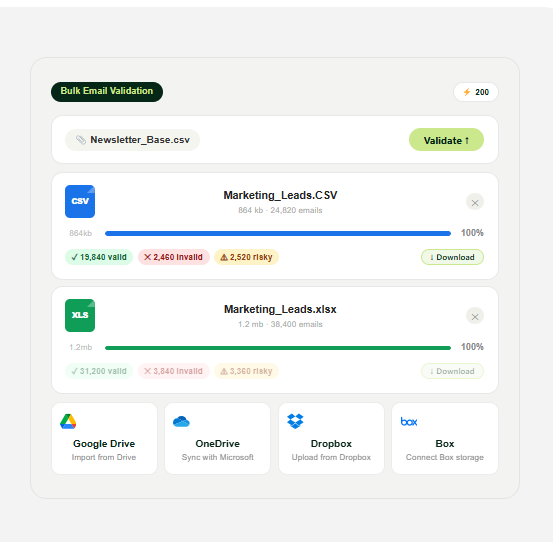
The email validation tools like gamalogic also supports bulke email validation also Simply upload your CSV or Excel file, and our platform will instantly analyze, verify, and remove invalid, risky, disposable, and undeliverable email addresses.
Get a downloadable, verified mailing list ready for your next campaign.
Try free email address validator →
No account needed. Results in under 5 seconds. Covers syntax, domain, MX, SMTP, disposable detection, and risk scoring.
Best for: individual address checks, quick verification before outreach, testing a suspicious signup.
If you just need a quick sanity check without a tool, a valid email must follow this pattern:
localpart@domain.tld
Rules to check:
This only tells you the format is correct it says nothing about whether the address actually exists.
You can manually verify whether a domain is configured to receive email using a free DNS lookup tool.
Steps:
This confirms the domain is mail-capable but still doesn’t confirm whether the specific mailbox exists.
For developers and technical users, you can manually run an SMTP check using command line tools like Telnet or OpenSSL:
Note: Many mail servers block this type of direct query to prevent enumeration. This method is unreliable at scale and is better handled by a dedicated validator that manages server relationships.
If you’re building a signup form, CRM integration, or data pipeline, embedding validation directly at the point of entry is far more effective than cleaning lists after the fact.
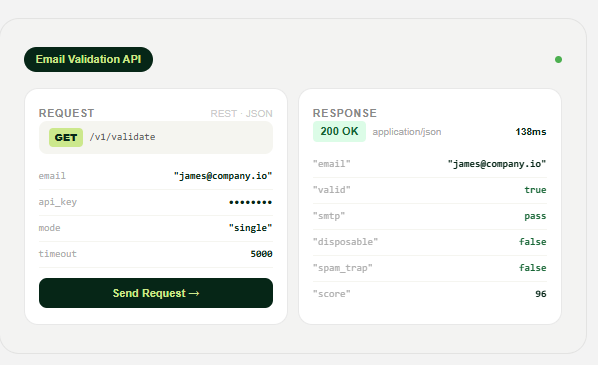
Gamalogic’s RESTful Email Validation API lets you:
View Gamalogic API documentation →
| Feature | Free Email Validator | Gamalogic Professional |
| Single email check | ✅ Yes | ✅ Yes |
| Syntax validation | ✅ Yes | ✅ Yes |
| Domain verification | ✅ Yes | ✅ Yes |
| MX record check | ✅ Yes | ✅ Yes |
| SMTP verification | ⚠️ Limited | ✅ Full |
| Disposable email detection | ⚠️ Limited | ✅ Full blocklist |
| Catch-all detection | ⚠️ Limited | ✅ Yes |
| Spam trap detection | ❌ No | ✅ Yes |
| Role-based email detection | ❌ No | ✅ Yes |
| Risk scoring | ❌ Basic | ✅ Advanced |
| Bulk email verification | ❌ No | ✅ Yes |
| Real-time API | ❌ No | ✅ RESTful API |
| CRM integrations | ❌ No | ✅ Yes |
Use the free validator if: You’re checking one or two addresses manually before reaching out to someone.
Use email validators like Gamalogic professional if: You manage a mailing list, run lead generation campaigns, operate a SaaS product with user signups, or want to stop bad data from entering your CRM in the first place.
If you have an existing database of contacts, bulk email verification cleans your list before your next campaign.
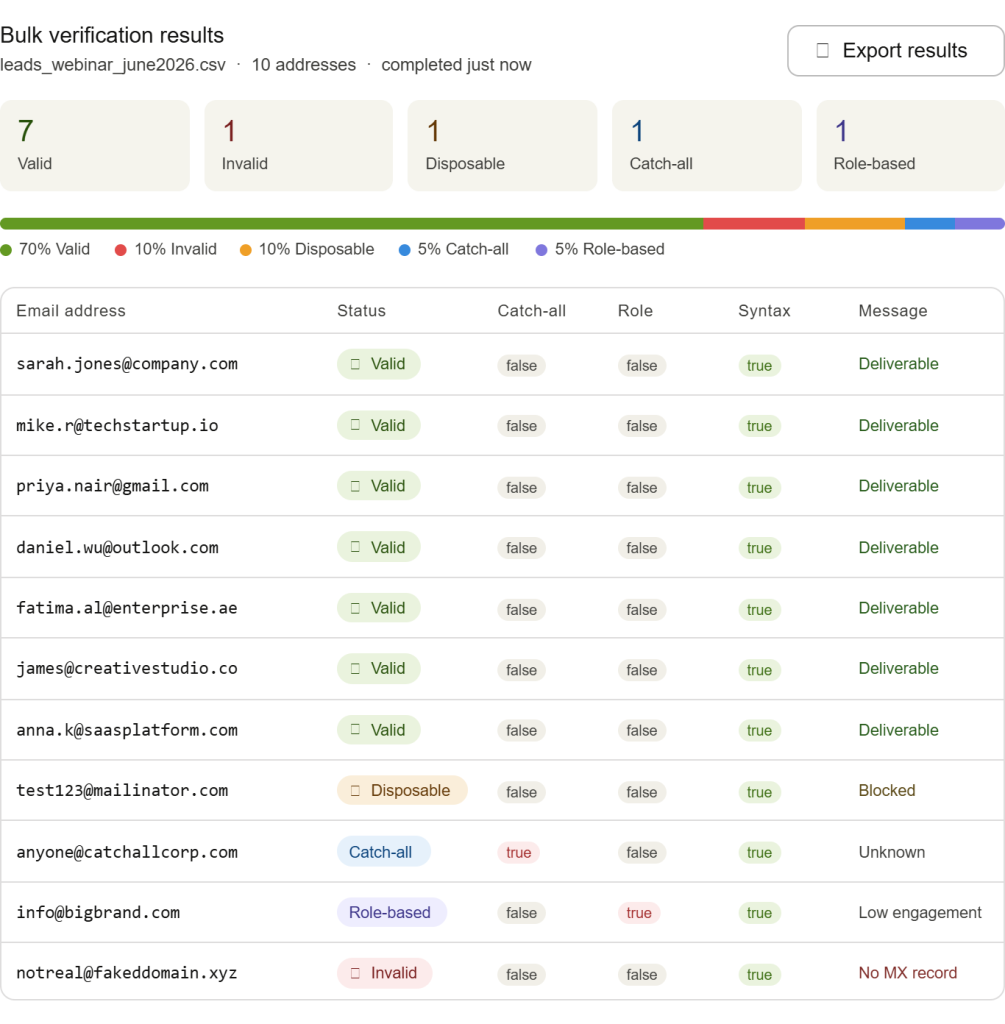
The process with Gamalogic Email validator:
When to bulk-verify:
A bounce rate above 2% is widely considered a warning threshold by major ESPs. Regular bulk verification keeps you well below it.
Cleaning a dirty list after the fact costs more time and money than preventing bad data from entering it in the first place.
Real-time validation at signup means:
The result: your list stays clean automatically. You don’t need quarterly cleaning. Your bounce rate stays low. Your deliverability stays high.
Gamalogic’s real-time validation widget and API make this a one-time integration — not an ongoing manual task.
Gamalogic runs every address through a multi-layer verification engine:
Layer 1 — Syntax validation (RFC 5321 / RFC 5322)
Layer 2 — Domain existence check (DNS)
Layer 3 — MX record validation (mail server configuration)
Layer 4 — SMTP verification (mailbox-level check without sending)
Layer 5 — Disposable email detection (live blocklist)
Layer 6 — Catch-all domain detection
Layer 7 — Role-based address detection
Layer 8 — Risk score calculation (aggregate signal across all layers)
Each address receives a final status: Valid, Invalid, Risky, or Unknown plus a risk score you can use for downstream filtering.
Available as: free single-check tool, bulk verification, real-time signup validation, and RESTful API.
Start verifying email addresses free →
How do I check if an email address is valid for free?
The easiest way is to use a free email validator like Gamalogic. Enter the address and the tool checks syntax, domain, MX records, SMTP response, and disposable email status in seconds no account or payment required.
Can I verify an email address without sending an email?
Yes. Free email validators use DNS lookups, MX record checks, and SMTP handshaking to verify addresses completely without sending any message. The recipient is never notified and your sender reputation is never affected.
How accurate is email validation?
Accuracy depends on the validation layers used. Syntax, domain, and MX checks are near 100% accurate. SMTP verification is highly accurate but some servers block this check. Catch-all domains remain the main source of uncertainty — the server accepts all mail regardless of whether the mailbox exists.
What is a hard bounce vs. a soft bounce?
A hard bounce means the email address is permanently invalid the address doesn’t exist or the domain has no mail server. A soft bounce is a temporary delivery failure, such as a full inbox or server timeout. Hard bounces must be removed from your list immediately. Soft bounces should be monitored across multiple attempts.
What is a disposable email address?
A disposable email is a temporary inbox created through services like Mailinator, Guerrilla Mail, or 10 Minute Mail. They’re often used to avoid spam or gain access to free trials. These addresses are technically deliverable in the short term but have zero long-term value for marketing or CRM purposes.
How often should I validate my email list?
Validate your full list before any major campaign, after any period of inactivity (6+ months), and after importing contacts from external sources. For ongoing maintenance, use real-time validation at signup to prevent bad data from entering your database in the first place.
What happens to my email deliverability if I don’t validate?
High bounce rates (above 2%) signal poor list hygiene to ESPs like Mailchimp, HubSpot, Klaviyo, and Amazon SES. This leads to lower inbox placement, increased spam folder routing, and in severe cases, account suspension or IP blacklisting.
Can email validation integrate with my CRM or ESP?
Yes. Gamalogic’s API integrates with any CRM, marketing platform, or custom-built system. Real-time validation can be embedded at any signup point to prevent invalid data from entering your tools.
What’s the difference between email validation and email verification?
The terms” difference between email validation and email verification” are used interchangeably in most contexts. Technically, “validation” often refers to format and technical checks (syntax, domain, MX), while “verification” may include the SMTP-level mailbox check. In practice, a complete email checker like Gamalogic performs both as part of the same process.
How does SMTP verification check a mailbox without delivering a message?
The validator opens a connection to the domain’s mail server and issues the same commands a real email would use, but stops right before the message body is sent. The server’s response to the “is this mailbox real” query is enough to confirm validity, no email is ever transmitted.
Will checking an email address without sending one hurt my sender reputation?
No. Because no message is actually delivered, there’s no bounce, no spam complaint, and no delivery record tied to your domain. This is precisely why it’s the safer alternative to sending a test email.
Can I verify an email address is real using just a DNS or MX lookup?
A DNS/MX lookup only confirms the domain can receive email in general, it can’t confirm whether a specific mailbox exists. For that, you need the SMTP-handshake step, which checks the individual address without sending anything.
Knowing how to check if an email address is valid for free is one of the highest-leverage things you can do for email marketing performance, lead quality, and CRM hygiene.
The fastest and most reliable method is a free email validator that combines syntax checking, domain validation, MX record verification, SMTP testing, and disposable email detection — all without sending a message.
For individual checks, Gamalogic’s free validator gets you a result in under 5 seconds. For teams managing databases, running campaigns, or building products with user signups, real-time validation and bulk verification at scale keep your data clean automatically.
Check your first email address free — no signup needed →