 Sign In














 Email Marketing
 ABM
ABM  List Building
  Lead Generation
  Growth Hacker
  Digital Marketing
  Data Enrichment
  Software as a Service
  Data as a Service
  Waterfall Enrichment
  Startup
  Revenue Performance
  Job Change Tracking
  Customer Data Platform
  CRM
CRM 


 Knowledge Base
  Video Tutorials
  Help Center
  Tarpitting Scoring
  ROI Calculator
  About us
  Contact us
  Testimonials
  Automation
How to Validate Your Constant Contact or Zoho Campaigns Email List Before You Send

23 Jul 2026
Sreerag
12 Minutes
Read

 Blog
FAQ
Case Studies
Knowledge Base
Video Tutorials
Help Center
SEG Validation
Tarpitting Scoring
ROI Calculator
About us
Contact us
Testimonials
Blog
FAQ
Case Studies
Knowledge Base
Video Tutorials
Help Center
SEG Validation
Tarpitting Scoring
ROI Calculator
About us
Contact us
Testimonials
Constant Contact and Zoho Campaigns get lumped together for a reason: both platforms will happily let you import a list and hit send, but neither runs a mailbox-level check that catches a dead address before it becomes a bounce. Constant Contact’s own community forum has multiple unanswered threads from users asking how to verify a list before upload. Zoho Campaigns has the same gap.
This guide covers both, since the fix is identical: validate the list before it reaches either platform, not after a bounce spike shows up in your reports.
Neither platform does what most marketers assume:
Both platforms monitor your bounce rate and will throttle, warn, or restrict sending accounts that cross their thresholds, and both calculate that rate against your total send, not just the bad addresses. A 3% bounce rate on a 20,000-contact send is 600 bounces landing on your domain reputation in one campaign.
Gamalogic connects natively to both (see the full 22+ ESP integration list →), so the fix takes minutes, not a manual CSV round-trip.
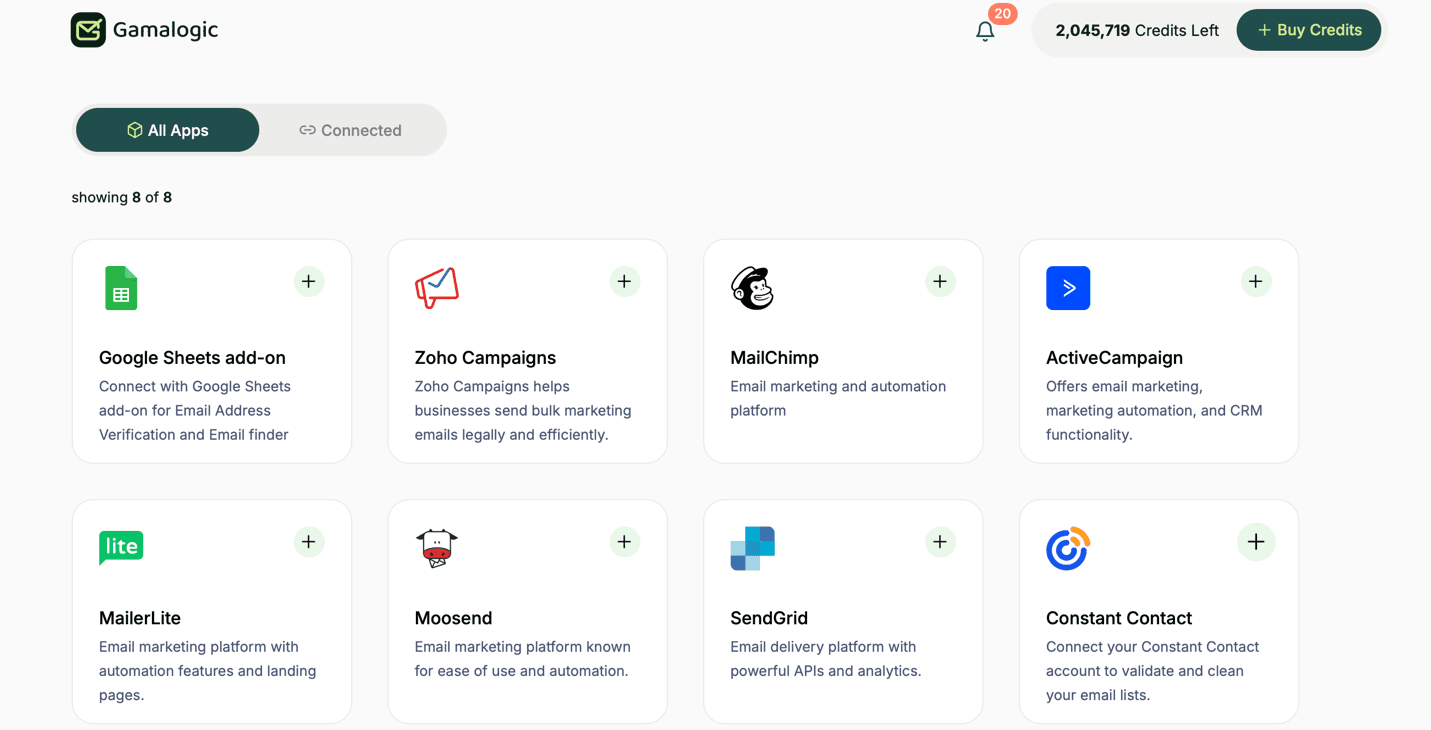
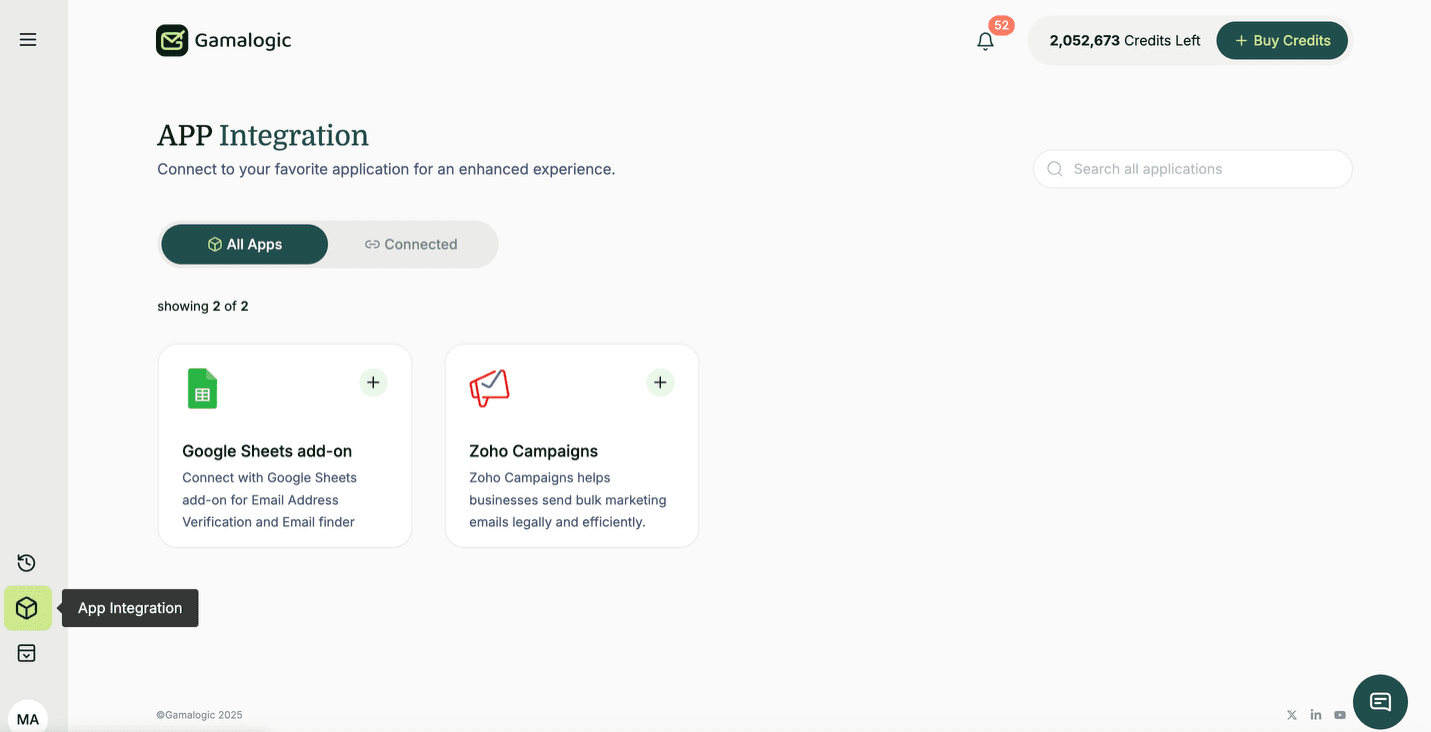
From your Gamalogic dashboard, go to App Integrations: app.gamalogic.com/dashboard/integrate
Select the Constant Contact card and click the + button.
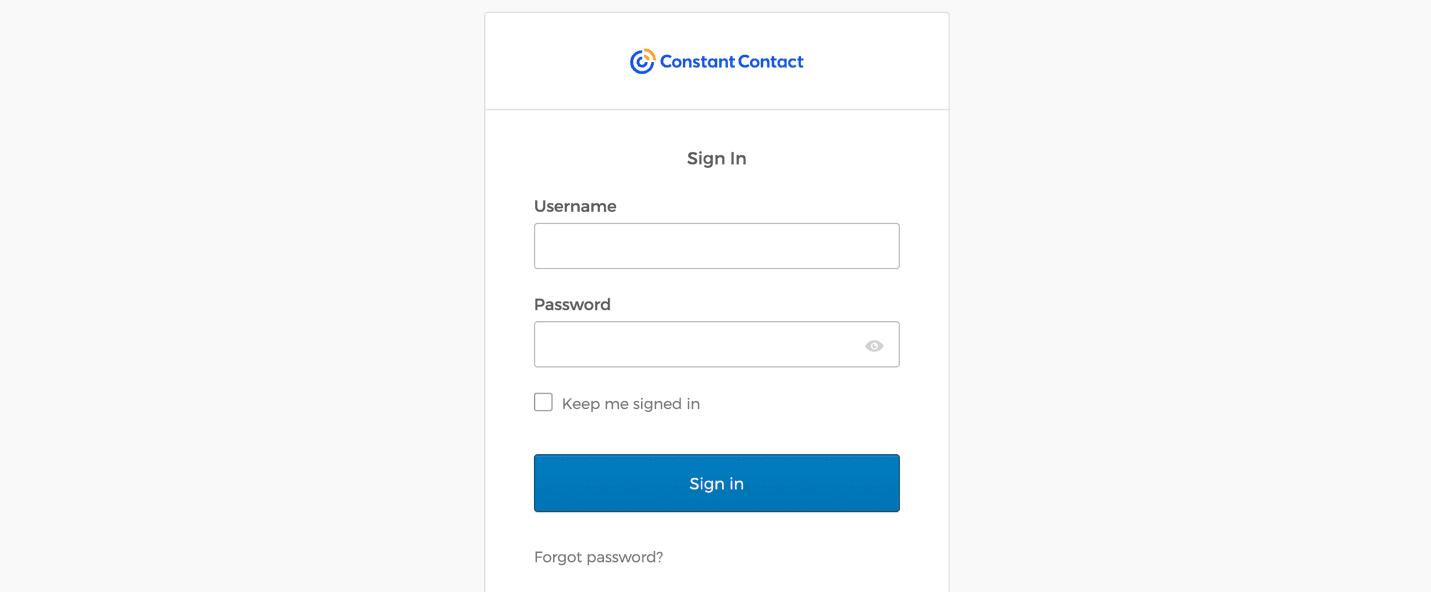
You’ll be redirected to Constant Contact’s secure OAuth2 login page. Enter your credentials and grant Gamalogic permission to access your contacts and lists. You’re returned to your dashboard automatically once authorized.
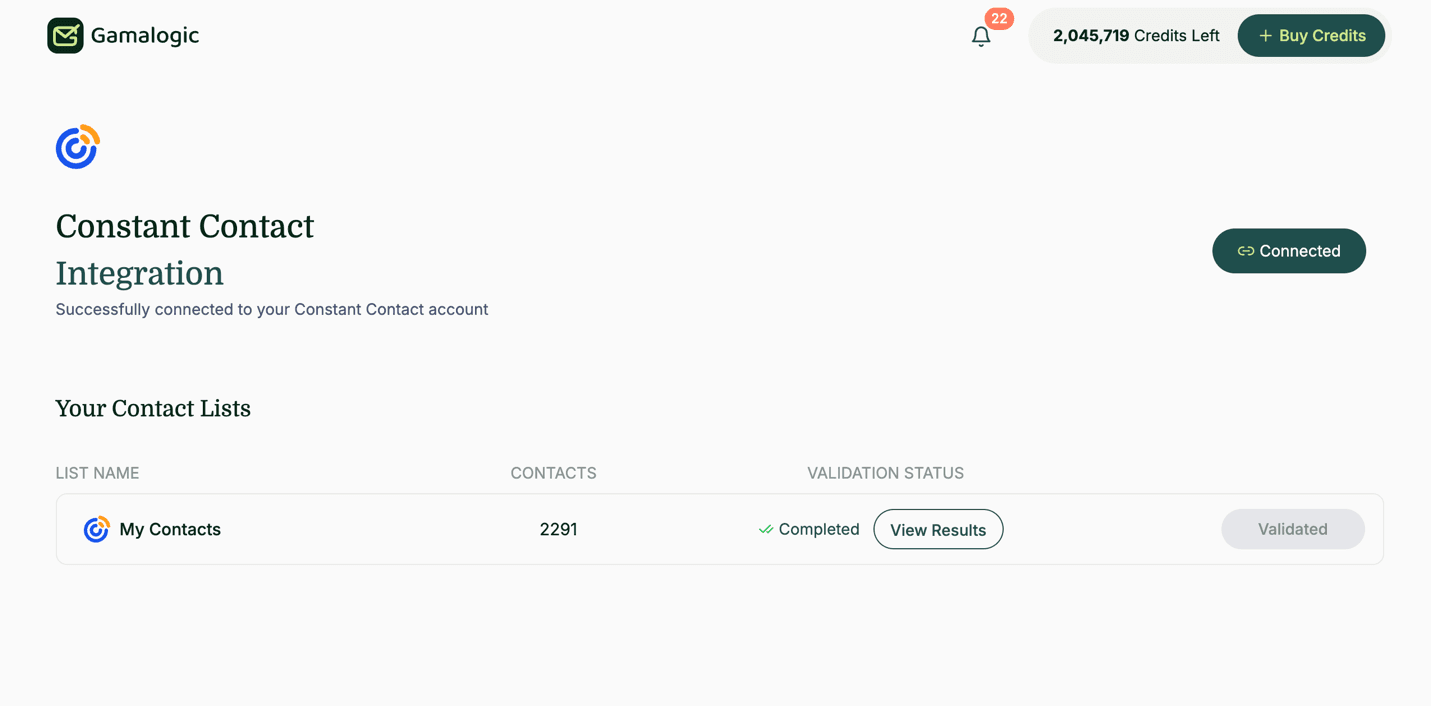
Gamalogic displays every Constant Contact mailing list with its contact count and the name as it appears in your Constant Contact account.
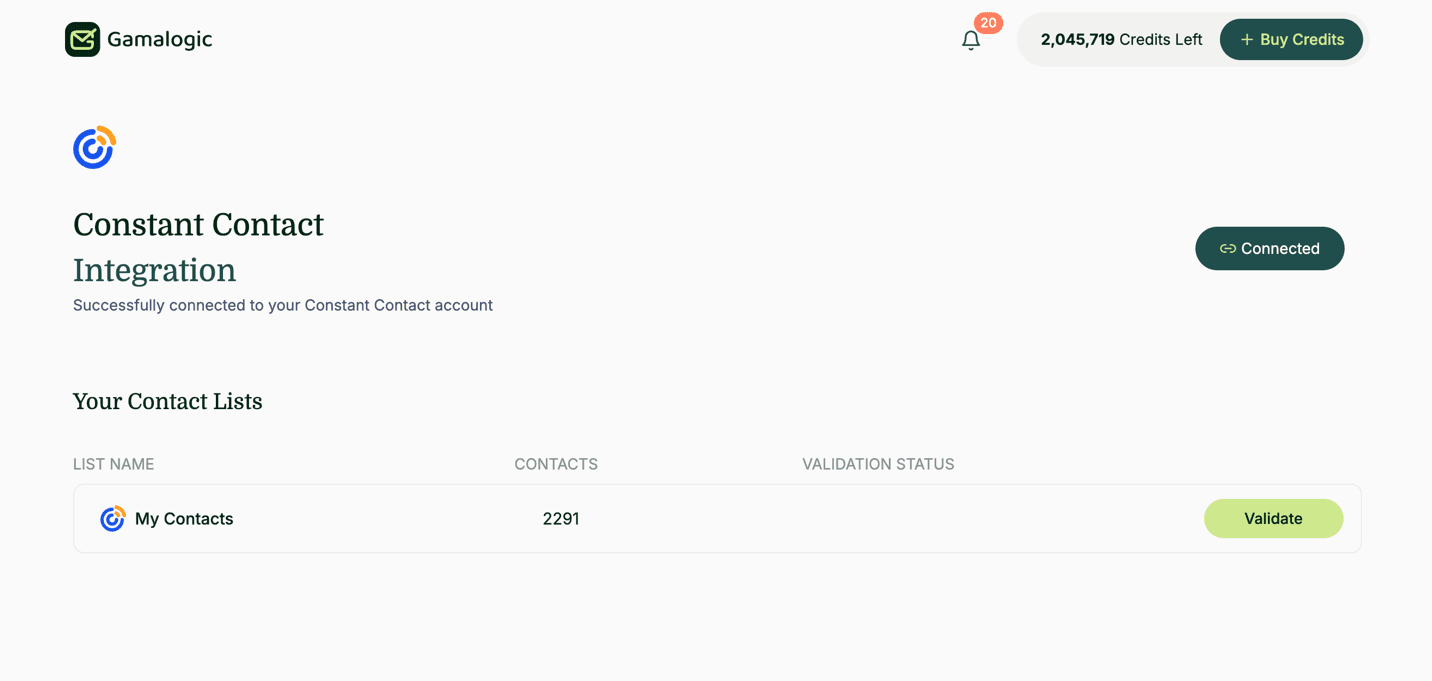
Select the list you want to validate. Gamalogic automatically checks whether you have enough credits — required credits equal the number of contacts in the list, and prompts you to purchase more if you’re short. Click Validate; the button changes to Initializing as the process begins.
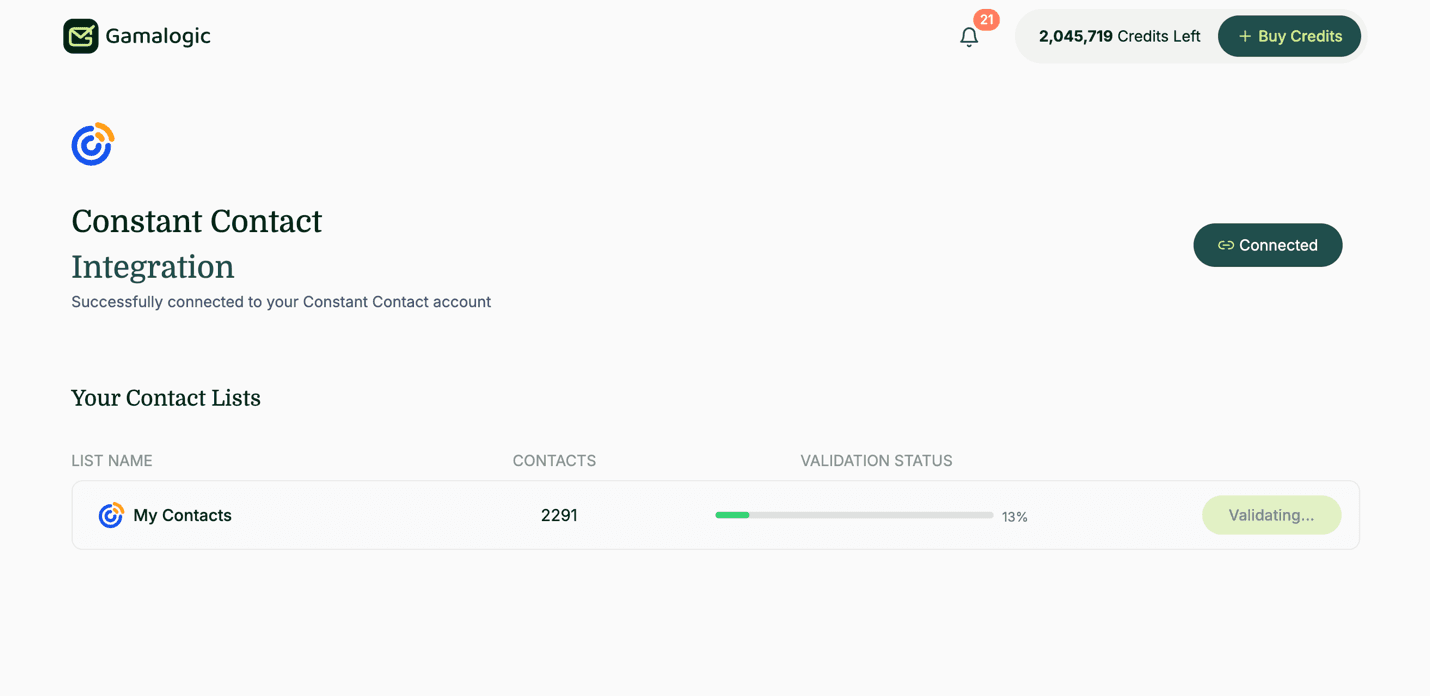
A real-time progress bar shows validation status as it runs.
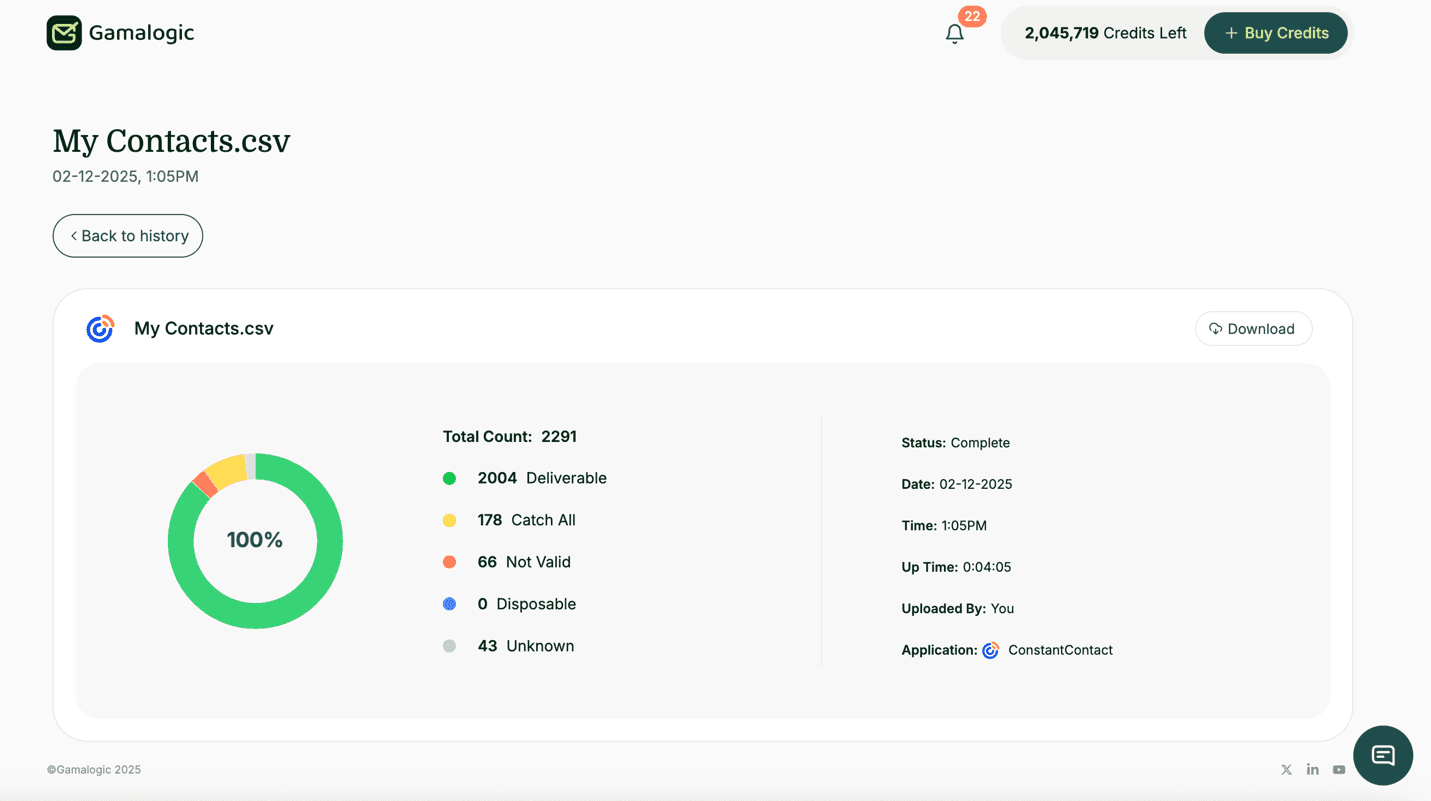
When validation completes, invalid and disposable addresses are automatically unsubscribed from your original Constant Contact list, and you’ll get an email notification. Unlike the Zoho Campaigns flow below, Constant Contact’s integration unsubscribes flagged contacts directly rather than moving them to a separate backup list.
| Status | Action taken |
|---|---|
valid | Kept in the list |
not_valid | Unsubscribed |
is_disposable | Unsubscribed |
is_catchall | Kept in the list |
is_unknown | Kept in the list |
A detailed report is available in your History section, with a downloadable CSV for a complete email-by-email audit trail.
Full technical reference, including OAuth scopes and API notes: Gamalogic × Constant Contact documentation →
The flow mirrors Constant Contact closely, with one meaningful difference in what happens to flagged contacts covered in Step 7 below.
Same starting point: app.gamalogic.com/dashboard/integrate
Select the Zoho Campaigns card and click +.
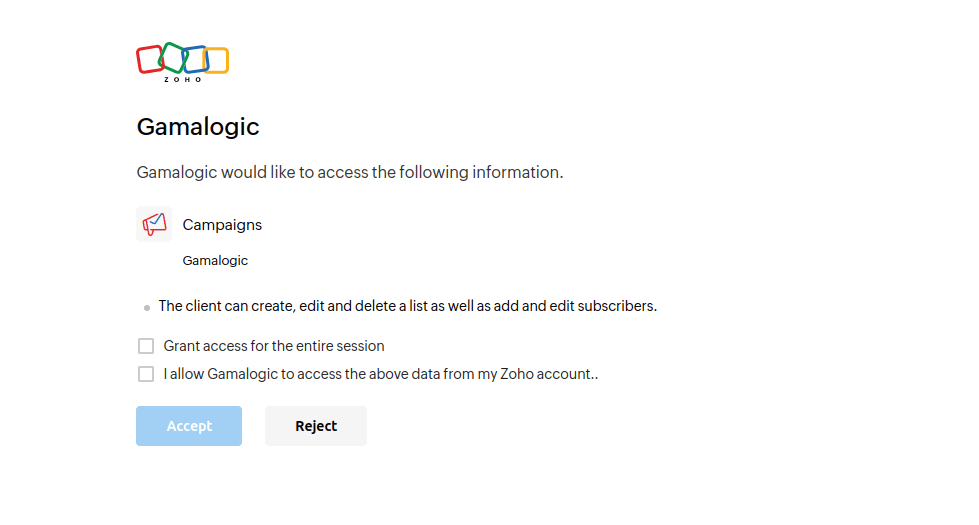
You’re redirected to Zoho’s secure OAuth2 login page. Enter your credentials and grant Gamalogic access to your contacts and lists; you’re returned to the dashboard automatically once authorized.
All Zoho Campaigns mailing lists appear with contact counts and their original Zoho names.
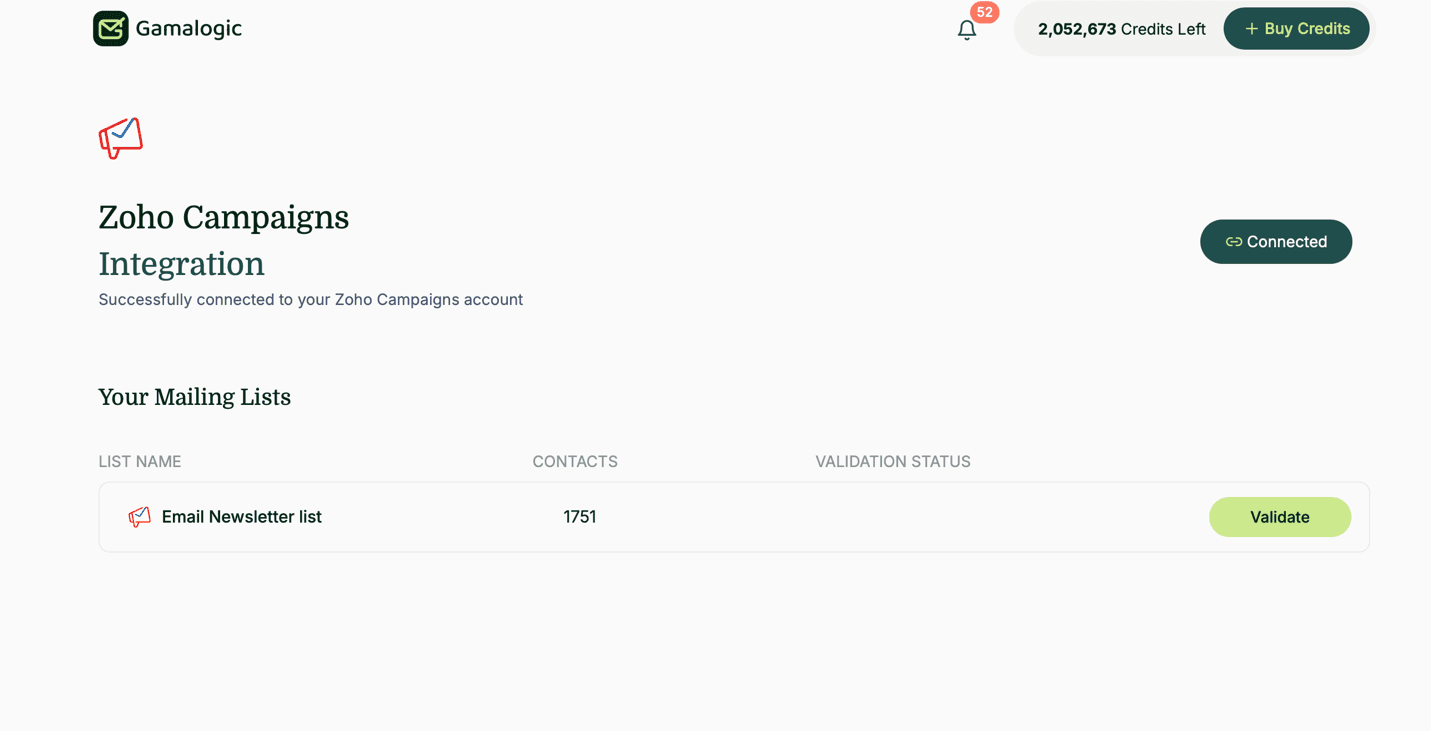
Same credit logic as Constant Contact: required credits equal the number of contacts in the selected list. Click Validate to begin the button shows Initializing while the check starts.
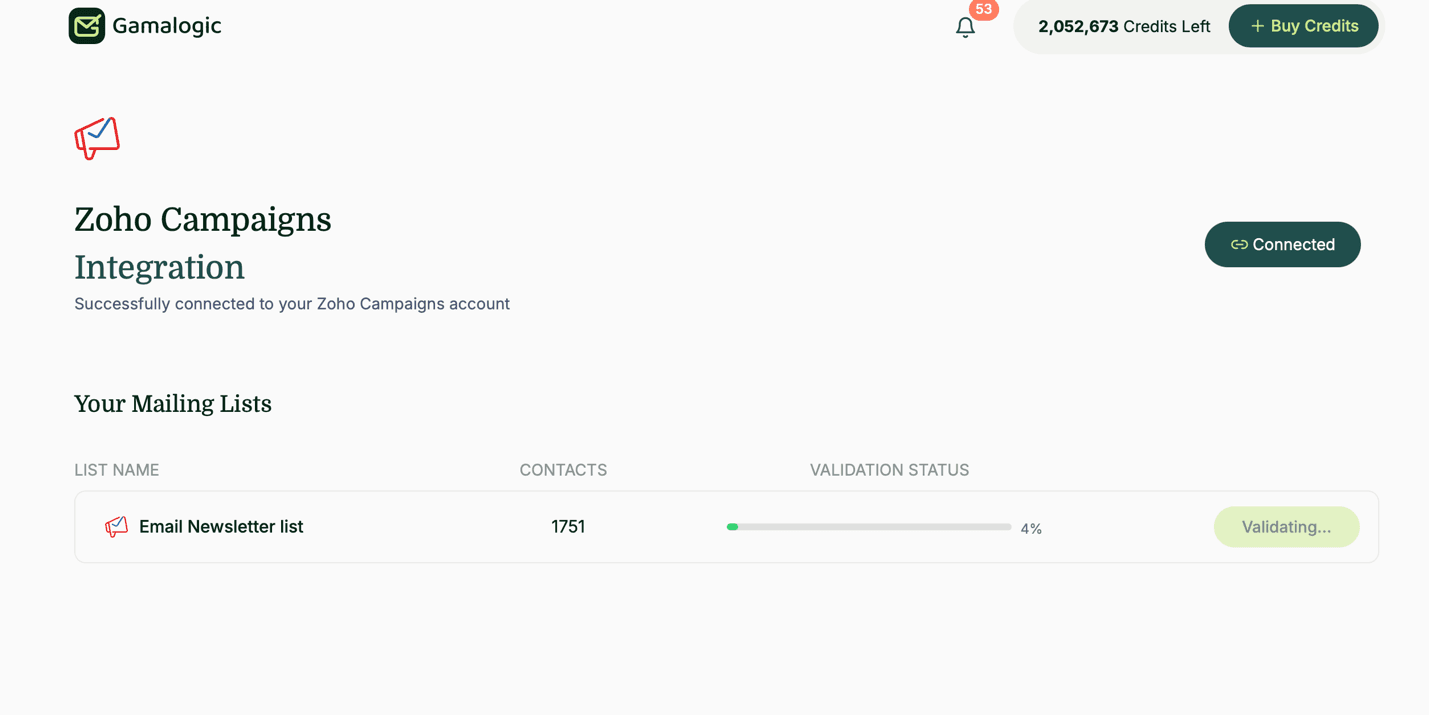
A real-time progress bar tracks the validation run.
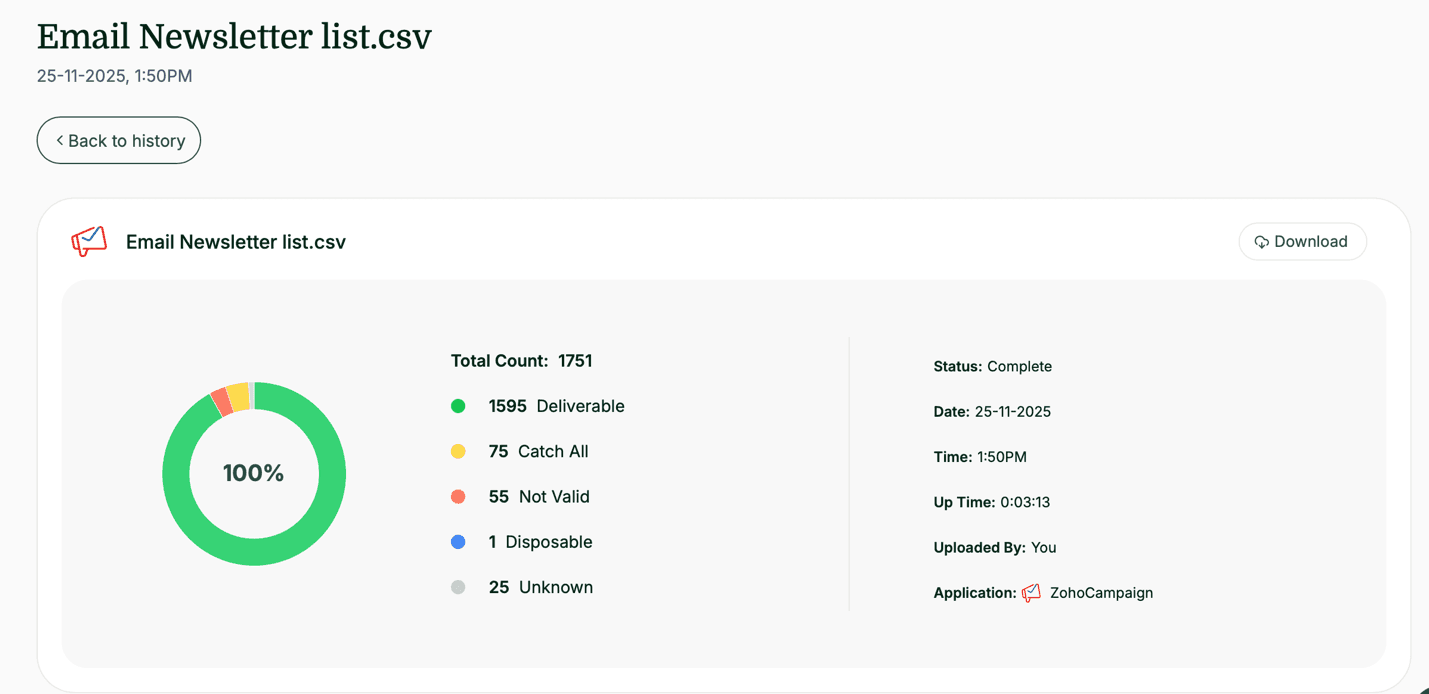
When validation completes, invalid and disposable addresses are automatically unsubscribed and moved into a dedicated backup list Gamalogic creates in your Zoho account named invalid_emails_list_Gamalogic, giving you an audit trail directly inside Zoho, not just in Gamalogic’s history.
| Status | Action taken |
|---|---|
valid | Kept in the list |
not_valid | Unsubscribed, moved to invalid_emails_list_Gamalogic |
is_disposable | Unsubscribed, moved to invalid_emails_list_Gamalogic |
is_catchall | Kept in the list |
is_unknown | Kept in the list |
You’ll get an email confirmation, a detailed report in your Gamalogic History section, and a downloadable CSV. Inside Zoho, review the invalid_emails_list_Gamalogic list directly.
Since Zoho Campaigns lists often pull from Zoho CRM, validating at the CRM entry point too not just before a campaign, prevents the same bad addresses from resurfacing in every future list pulled from that source.
Full technical reference, including OAuth scopes and API notes: Gamalogic × Zoho Campaigns documentation →
Both platforms benefit from the same two-layer approach covered in the Mailchimp validation guide:
| Flag type | Why it matters here |
|---|---|
Hard invalid (not_valid) | Immediate hard bounce, the main driver of both platforms’ bounce-rate warnings |
Disposable (is_disposable) | Neither platform blocks these on import; they inflate list size without ever converting |
Catch-all (is_catchall) | Kept, not removed accepts all mail but may silently drop it, so it’s flagged for awareness rather than deleted outright |
Unknown (is_unknown) | Kept by default, insufficient signal to classify definitively, better handled with a follow-up real-time check than a blanket removal |
Role-based (info@, sales@) | Rarely opened, drags down engagement metrics both platforms use for list-quality signals |
is_catchall or is_unknown contacts outright. Both statuses are kept by design, not removed, because they carry real signal loss if deleted blindly, a catch-all domain can still deliver, it just can’t be confirmed at the mailbox level.A dirty list doesn’t just cost you one bad campaign. Both Constant Contact and Zoho Campaigns feed bounce and complaint data into how mailbox providers (Gmail, Outlook, Yahoo) score your sending domain, and that score persists across every future send, not just the one that triggered it. Cleaning a list after the fact recovers deliverability slowly; validating before you send prevents the damage from happening at all. For the fuller ROI case, see how list validation impacts campaign revenue.
This walkthrough follows Gamalogic’s official integration documentation for both platforms (last technical update: October 25, 2025), cross-referenced against live product screenshots rather than written from memory or a generic template. Every status label (valid, not_valid, is_disposable, is_catchall, is_unknown) and the credit-requirement logic reflects the actual dashboard behavior, including the one meaningful difference between the two integrations, Zoho Campaigns’ automatic invalid_emails_list_Gamalogic backup list, which Constant Contact’s integration doesn’t currently create. Security handling (OAuth2, no stored passwords) is documented further in Gamalogic’s security overview.
Whether you’re on Constant Contact, Zoho Campaigns, or both, the fix is the same: validate before you send, not after a bounce report tells you it’s too late. Connect your platform from the App Integrations dashboard and run your first check new accounts start with free credits, so you can see exactly what’s sitting in your list before committing to a plan.
For the full breakdown of why this matters for revenue and sender reputation, see the email validation for email marketing pillar, or browse every supported platform if you’re managing more than one ESP.
Start Free Validation — 500 Free Credits →
Does Constant Contact validate emails automatically?
No. It checks formatting on import but doesn’t verify whether a mailbox exists, and its own developer support team has confirmed there’s no published list of what it treats as invalid.
Does Zoho Campaigns check my list before I send?
Not at the mailbox level. It performs basic format checks but no SMTP-level verification, so invalid or disposable addresses can sit undetected until they bounce.
What happens to invalid contacts after validation are they deleted?
No, not automatically. They’re unsubscribed (both platforms) and, for Zoho Campaigns, moved into a dedicated invalid_emails_list_Gamalogic list. You choose whether to delete them or leave them unsubscribed.
How many credits does validating a list cost?
One credit per contact in the selected list, Gamalogic checks your balance automatically before starting and prompts you to top up if needed. See credit balance details.
Can I validate lists in both Constant Contact and Zoho Campaigns from the same account?
Yes, connect each separately from the App Integrations dashboard; both draw from the same Gamalogic account and credit balance.
What if my platform isn’t Constant Contact or Zoho Campaigns?
Gamalogic connects natively to 22+ email marketing platforms, CRMs, and outreach tools. See the full integration list →


Even the most compelling email won't drive results if it never reaches the inbox—learn eight proven strategies to improve email deliverability, protect your sender reputation, and maximize campaign performance with Gamalogic.

Self-hosted vs API email verification, compared on real cost, compliance, and engineering time, not vendor bias. See which fits your infrastructure and when to switch.


 No credit card required
Post your Comment.