 Sign In














 Email Marketing
 ABM
ABM  List Building
  Lead Generation
  Growth Hacker
  Digital Marketing
  Data Enrichment
  Software as a Service
  Data as a Service
  Waterfall Enrichment
  Startup
  Revenue Performance
  Job Change Tracking
  Customer Data Platform
  CRM
CRM 


 Knowledge Base
  Video Tutorials
  Help Center
  Tarpitting Scoring
  ROI Calculator
  About us
  Contact us
  Testimonials
  Automation
How to Integrate an Email Validation API – A Developer’s Guide (Node.js / Python / cURL)

28 Oct 2025
Sreerag
12 Minutes
Read

 Blog
FAQ
Case Studies
Knowledge Base
Video Tutorials
Help Center
SEG Validation
Tarpitting Scoring
ROI Calculator
About us
Contact us
Testimonials
Blog
FAQ
Case Studies
Knowledge Base
Video Tutorials
Help Center
SEG Validation
Tarpitting Scoring
ROI Calculator
About us
Contact us
Testimonials
Integrating an email validation API is one of the most impactful steps you can take to ensure clean data, improved deliverability, and reduced bounces. Whether you’re a developer building a signup form, a SaaS product capturing leads, or a marketer automating large-scale list cleanses, the ability to call an API and instantly verify an email address separates casual projects from production-ready systems.
Once you’re familiar with the basics, this guide will walk you through the practical implementation of email validation APIs using Node.js, Python, and cURL.
An email validation API is a powerful tool that helps developers automatically verify whether an email address is valid, active, and safe to use. It checks for issues like typos, invalid domains, disposable emails, and spam traps all in real time.
Integrating an email validation API ensures that only genuine and deliverable email addresses enter your system, improving deliverability rates and protecting your sender reputation. For developers, it’s an essential step to maintain clean databases, enhance user experience, and prevent wasted resources on invalid or fake emails
For More Info Read More : The Complete Guide to Email Validation APIs | Features, Benefits, How to integrate & Best Tools
Email validation APIs are essential for any modern web app, CRM, or sign-up system for email verification. They help maintain data hygiene and ensure your marketing and transactional messages reach real people.
Want to see how validation improves marketing automation? Check out Advanced Email Verification and Prospecting: Leveraging Gamalogic with Pabbly, where we demonstrate how real-time API validation boosted lead accuracy by 35% in automated workflows.
For More Info Read More : How CRM Email Validation and Data Quality Transforms Organisational Performance
To get started with Email Validation API (or any similar API), make sure you have:
Tip: Always store your API key securely in environment variables never hardcode it.
Let’s jump right into the implementation examples. These are simplified for clarity but demonstrate how quickly you can get started.
1. Node.js Integration Example
const axios = require('axios');

const apiKey = process.env.GAMALOGIC_API_KEY;

const email = 'example@gmail.com';

axios.get('https://gamalogic.com/emailvrf', {

  params: { email, apikey: apiKey }

})

.then(response => {

  console.log(response.data);

})

.catch(error => {

  console.error('Error validating email:', error.message);

});
✅ Output:
A JSON response containing fields like:
{

  "status": "valid",

  "sub_status": "role_based",

  "domain": "gmail.com"

}
2. Python Integration Example
import requests, os
api_key = os.getenv("GAMALOGIC_API_KEY")

email = "example@gmail.com"

url = f"https://gamalogic.com/emailvrf?email={email}&apikey={api_key}"

response = requests.get(url)

print(response.json())
✅ Output:
{

  "status": "invalid",

  "sub_status": "mailbox_not_found"

}
3. cURL Example
curl -G "https://gamalogic.com/emailvrf" \

--data-urlencode "email=example@gmail.com" \

--data-urlencode "apikey=YOUR_API_KEY"
✅ Output:
Returns a JSON response with email validation results — perfect for testing API connectivity or bulk scripts.
Each validation result gives actionable data:
| Response Field | Meaning |
| status | Indicates if the email is valid, invalid, catch-all, or unknown |
| sub_status | Provides additional info (e.g., disposable, role-based, spam trap) |
| domain | Shows which domain the email belongs to |
| did_you_mean | Suggests correction if typo detected (e.g., gmial.com → gmail.com) |
By parsing these results, developers can filter out bad data before it enters their system — a practice that protects both sender reputation and CRM performance.
You can connect the API directly to your registration or subscription forms.
Whenever a user enters an email, the script calls the API to verify it instantly.
Example frontend approach:
async function validateEmail(email) {

  const res = await fetch(`/emailvrf?email=${email}`);

  const data = await res.json();

  return data.status === "valid";

}
With this, fake or mistyped emails can be stopped before submission improving data quality at the source.
Gamologic’s Email Validation API can easily integrate with platforms like Pabbly, Zapier, or n8n, Make.com.
For example, when a new lead is captured:
You can explore this full workflow in our case study Advanced Email Verification and Prospecting: Leveraging Gamalogic with Pabbly.
Why Developers Love Gamalogic’s API
Clean data isn’t optional, it’s a competitive advantage. Whether you’re building a product, scaling a SaaS platform, or optimizing marketing automation, Gamalogic’s Email Validation API helps you verify emails in real time, reduce bounces, and protect your sender reputation from day one.
👉 Get started today
Try the Api


This comprehensive guide breaks down the best practices of email validation for 2024—covering everything from real-time verification to compliance and advanced filtering. Learn how tools like Gamalogic can help marketers boost deliverability, protect sender reputation, and keep email lists clean and conversion-ready.
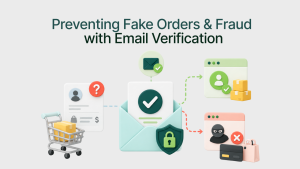
Learn how ecommerce fraud email validation helps prevent fake orders, disposable email abuse, chargebacks, and fraudulent customer accounts. Discover how email verification improves ecommerce security, transactional trust, and customer retention.

Learn how email validation supports product-led growth in SaaS by improving data quality, user engagement, and onboarding efficiency.


 No credit card required
Post your Comment.