 Sign In














 Email Marketing
 ABM
ABM  List Building
  Lead Generation
  Growth Hacker
  Digital Marketing
  Data Enrichment
  Software as a Service
  Data as a Service
  Waterfall Enrichment
  Startup
  Revenue Performance
  Job Change Tracking
  Customer Data Platform
  CRM
CRM 


 Knowledge Base
  Video Tutorials
  Help Center
  Tarpitting Scoring
  ROI Calculator
  About us
  Contact us
  Testimonials
  Automation
The Complete Guide to Email Verification & Email Quality in 2026

04 Jul 2026
Sreerag
12 Minutes
Read

 Blog
FAQ
Case Studies
Knowledge Base
Video Tutorials
Help Center
SEG Validation
Tarpitting Scoring
ROI Calculator
About us
Contact us
Testimonials
Blog
FAQ
Case Studies
Knowledge Base
Video Tutorials
Help Center
SEG Validation
Tarpitting Scoring
ROI Calculator
About us
Contact us
Testimonials
Every business that emails customers is sitting on a database that decays a little more each day. People change jobs, abandon inboxes, mistype addresses, or sign up with throwaway accounts. Left unchecked, this quietly erodes email deliverability, sender reputation, and ultimately ROI on every campaign you run.
This guide covers what email verification actually is, how it technically works, what “email quality” means for a modern CRM or marketing automation stack, and how to build a lasting email hygiene process not just a one-time cleanup.
Email verification is the process of confirming that an email address is correctly formatted, connected to a real domain, and able to receive mail before you ever send to it. A modern verification workflow checks syntax validation, domain validation, DNS and MX record lookups, SMTP verification, catch-all detection, disposable email detection, role-based email detection, and overall risk scoring.
The goal is simple: keep your email database and by extension your CRM, your customer database, and your lead database full of contacts you can actually reach.
If you want to test a single address by hand first, our guide on How to Check if an Email Address Is Valid for Free walks through it step by step using a free checker.
Email lists don’t stay clean on their own. Industry benchmarks commonly cite email list decay of around 20–25% per year people switch jobs, abandon addresses, or unsubscribe silently by never opening mail again. Most mailbox providers also treat a bounce rate above roughly 2% as a reputation risk, and repeated bounces are one of the fastest ways to end up filtered into the spam folder instead of the inbox.
Poor email data quality shows up as:
Email quality isn’t a marketing-only concern anymore it’s a customer data quality and database hygiene problem that touches sales, support, and product teams working from the same customer database.
The two terms overlap but aren’t identical.
| Email Validation | Email Verification | |
|---|---|---|
| Checks | Format, syntax, domain existence | Actual mailbox reachability |
| Method | Regex + domain validation, DNS lookup | SMTP handshake / SMTP ping to the mail server |
| Detects | Typos, malformed addresses, dead domains | Non-existent mailboxes, catch-all domains, spam traps |
| Outcome | Confirms the address could be valid | Confirms the address can currently receive mail |
In practice, a good email verification API runs both layers together in a single check, because format-valid addresses can still point to a mailbox that no longer exists.
A thorough verification pipeline runs through several layers, each catching a different type of bad data.
1. Syntax validation — confirms the address follows correct formatting (e.g. name@domain.com, not name@@domain..com).
2. Domain validation — confirms the domain is registered and active (Gmail, Google Workspace, Outlook, Yahoo Mail, or a custom company domain).
3. DNS and MX record lookup — checks the domain’s DNS for a valid MX record (Mail Exchange), which tells the system which mail server actually handles mail for that domain. No MX record, no delivery full stop.
4. SMTP verification — the verifier performs an SMTP handshake with the receiving SMTP server (an SMTP ping) to ask whether the mailbox exists, without actually sending an email. Some servers respond immediately; others apply greylisting or an SMTP timeout, which is why good verification tools retry intelligently instead of marking these as invalid outright.
5. Catch-all detection — flags domains configured to accept every address sent to them, even ones that don’t exist. These carry inherent delivery risk regardless of what the syntax check says.
6. Disposable email detection — flags addresses from temporary-email providers (Temp Mail, Mailinator, 10 Minute Mail) commonly used for fake signups and trial abuse.
7. Role-based email detection — flags shared inboxes like support@, sales@, info@, which are usually unsuitable for one-to-one personalization.
8. Risk analysis — cross-checks against spam trap detection, honeypot detection, and blacklist monitoring to protect your send score and long-term email authentication standing.
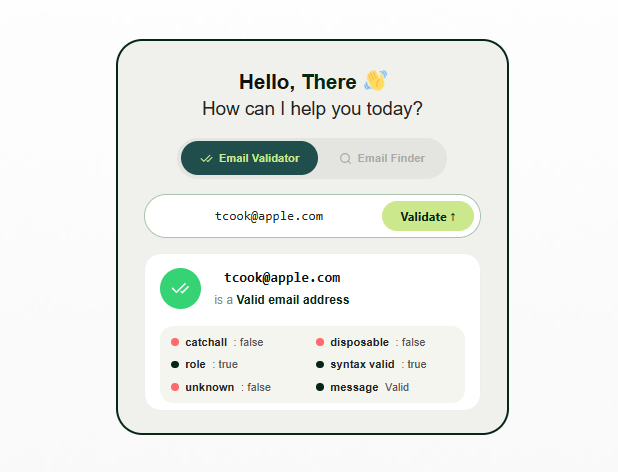
Every verification tool returns a status, not just a yes/no. Knowing what to do with each one matters as much as running the check.
| Status | Meaning | Recommended Action |
|---|---|---|
| Valid | Mailbox confirmed deliverable | Safe to send |
| Invalid | Domain, mailbox, or syntax failure | Remove from list |
| Risky | Accepts mail but carries delivery uncertainty (e.g. catch-all, greylisted) | Send cautiously, monitor bounces |
| Catch-all | Domain accepts all addresses regardless of mailbox existing | Treat as risky, not fully valid |
| Disposable | Temporary-email provider detected | Block from lead generation forms |
| Role-based | Shared/departmental inbox | Exclude from personalization campaigns |
| Unknown | Server didn’t respond in time (SMTP timeout) | Re-check later; don’t discard automatically |
This is the layer most guides skip and it’s exactly where a good email verification API earns its keep, since raw pass/fail scoring throws away useful nuance.
Not all bounces mean the same thing, and treating them identically damages your sender reputation unnecessarily.
Verifying addresses before sending is what prevents most hard bounces from ever happening in the first place.
Verification isn’t a one-time event it’s a cadence:
Real-time email verification validates an address the instant it’s submitted during registration, a contact form, checkout, or CRM data entry. This stops bad data before it ever enters the system.
Bulk email verification cleans an existing database thousands or millions of contacts at once typically before a major campaign, a CRM migration, or a re-engagement push.
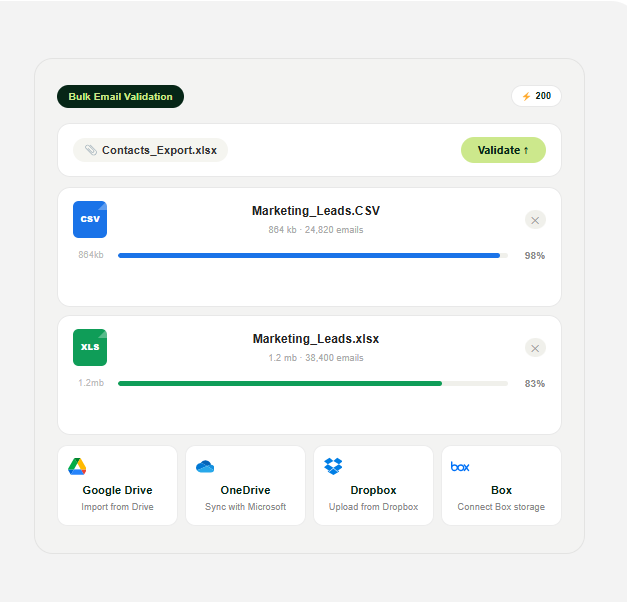
(uploading bulk data to bulk email validation tool)
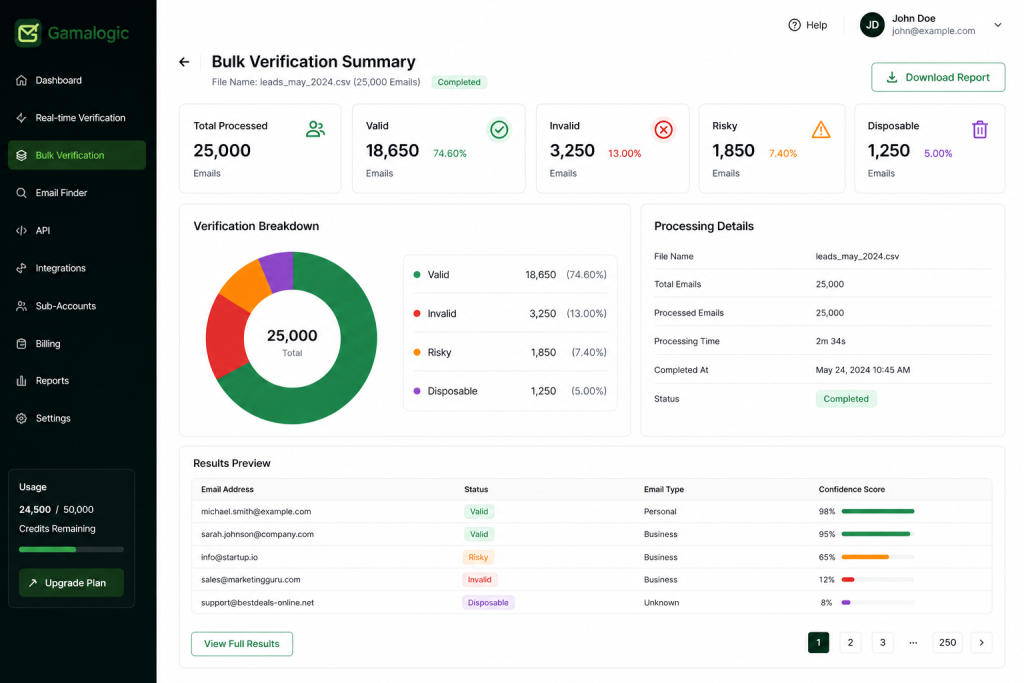
Most mature companies run both: real-time at the point of entry, bulk on a recurring schedule for database hygiene.
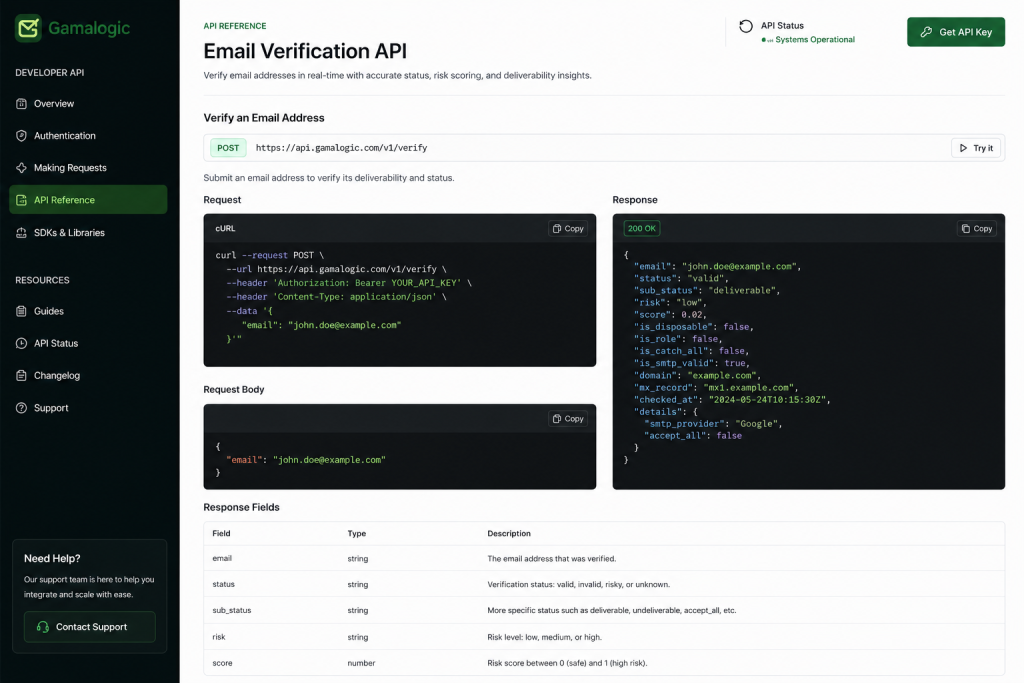
An email verification API lets developers wire real-time checks directly into signup forms, checkout flows, CRM systems, or mobile apps, typically as a REST API returning JSON over HTTP.
Typical integration points:
Most developer API offerings support SDKs or direct calls in Node.js, Python, PHP, Java, or plain cURL, and many support OAuth for secure API integration into existing systems.
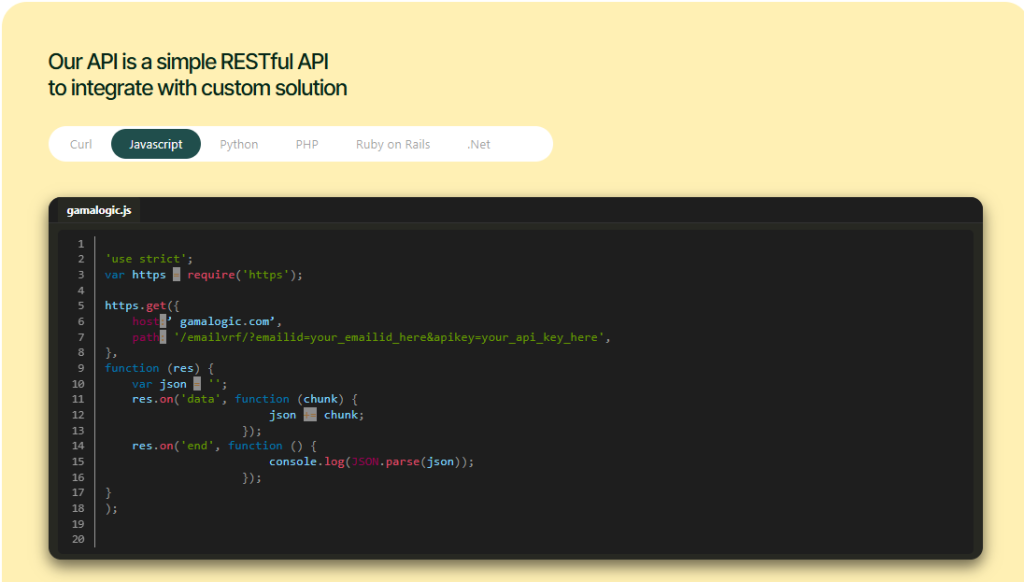
With the Gamalogic Email Validation API, addresses are checked in milliseconds across syntax, DNS/MX lookup, SMTP verification, catch-all detection, disposable and role-based detection, and Secure Email Gateway (SEG) validation ,
with 500 free verification credits and no credit card required to start. Try for free now
Fake email signups and spam signups distort every downstream metric campaign performance, conversion rate, even sales forecasting, since fake leads never convert but still count toward pipeline. Disposable and role-based addresses are the two most common sources.
For the full breakdown of detection methods and lead-scoring impact, See Why Disposable Emails Hurt Lead Generation Campaigns for the deeper breakdown.
Bad CRM email data compounds: it skews customer segmentation, breaks attribution, and quietly inflates sales pipeline quality with contacts that were never reachable. Clean, verified data is also what modern systems — Customer Data Platforms (CDP), predictive analytics, and AI personalization engines depend on for identity resolution, data enrichment, and accurate customer intelligence. Machine learning models built on unreachable contacts don’t produce better targeting; they just scale the noise.
For a deeper look at CRM-specific costs, see The Hidden Cost of Poor CRM Email Data.
What is email verification?
Email verification is the process of confirming that an email address is correctly formatted, connected to an active domain, and able to receive mail before you send to it. It combines syntax checks, domain and MX record lookups, and an SMTP-level mailbox check.
How does email verification work?
Email verification works by checking an address through several layers: syntax validation, domain and MX record lookup, an SMTP handshake with the receiving mail server, and detection of catch-all, disposable, or role-based addresses. Each layer catches a different type of undeliverable address.
What’s the difference between email validation and email verification?
Email validation checks that an address is correctly formatted and points to a real domain, while email verification goes further and confirms the actual mailbox can receive mail via an SMTP check. Most modern tools run both in a single pass.
Why is email verification important for businesses?
Email verification reduces bounce rates, protects sender reputation, and keeps CRM and marketing data accurate, which directly improves inbox placement and campaign ROI. Without it, list decay of roughly 20–25% a year quietly increases bounce rates and blocklist risk.
Can an email address be verified without actually sending an email?
Yes, any email address be verified without actually sending an email , SMTP verification contacts the receiving mail server directly and asks whether a mailbox exists, without delivering an actual message. This is how real-time verification tools check addresses in milliseconds.
How often should you verify your email list?
Verify new contacts in real time at the point of collection, then re-verify your full database quarterly, or monthly for high-volume senders, since list decay is continuous. Always re-verify after a bulk import or a CRM/platform migration.
Email verification isn’t a one-off cleanup task it’s ongoing database hygiene that protects deliverability, campaign ROI, and the accuracy of every downstream system that depends on your customer database, from CRM reporting to AI-driven segmentation.
Ready to see it in action? Get started with the Gamalogic Email Validation API which offers 100+ CRM , Esp tools integrations –
Get 500 free verification credits, no credit card required.



Discover how to combine Gamalogic’s advanced email verification with Pabbly’s automation tools to streamline lead generation, boost accuracy, and scale your outreach with confidence. Perfect for marketers and sales teams looking to turn data into results.
Check any email address for free in under 5 seconds. Verify syntax, domain, MX records, SMTP, and disposable email status — without sending a message. Try Gamalogic free.

Master the art of combining smart automation with genuine human connection in your AI-powered email campaigns. Learn how to balance efficiency and empathy to boost engagement, build trust, and drive better results.


 No credit card required
Post your Comment.