 Sign In














 Email Marketing
 ABM
ABM  List Building
  Lead Generation
  Growth Hacker
  Digital Marketing
  Data Enrichment
  Software as a Service
  Data as a Service
  Waterfall Enrichment
  Startup
  Revenue Performance
  Job Change Tracking
  Customer Data Platform
  CRM
CRM 


 Knowledge Base
  Video Tutorials
  Help Center
  Tarpitting Scoring
  ROI Calculator
  About us
  Contact us
  Testimonials
  Automation
Is This Email Real? Spot Fake and Invalid Addresses Manually

17 Oct 2026
Sreerag
12 Minutes
Read

 Blog
FAQ
Case Studies
Knowledge Base
Video Tutorials
Help Center
SEG Validation
Tarpitting Scoring
ROI Calculator
About us
Contact us
Testimonials
Blog
FAQ
Case Studies
Knowledge Base
Video Tutorials
Help Center
SEG Validation
Tarpitting Scoring
ROI Calculator
About us
Contact us
Testimonials
To check if an email is real, work through four levels.
(1) Check the format and spot typos.
(2) Confirm the domain exists and has mail (MX) records.
(3) Look for fake signals such as disposable domains, role-based names and gibberish. (through fake email checker tool )
(4) Confirm the mailbox exists, which you can only do reliably with an SMTP-level check from a verification tool. If you are asking about an email you received, check the sender’s address, the email headers (SPF, DKIM, DMARC) and the links instead.
“Is this email real?” means two different things. Pick yours:
| Your situation | What you really want to know | Go to |
|---|---|---|
| You have an address (a lead, a signup, a contact) | Does this email address exist and can it receive mail? | Part 1 |
| You received a message | Is this email message from who it claims to be? | Part 2 |
An address can be “real” at four different levels. Each level is harder to confirm by hand.
| Level | Question | Can you check it by hand? |
|---|---|---|
| 1. Well-formed | Does it follow the rules for an email address? | Yes |
| 2. Real domain | Does the part after the @ exist and accept mail? | Yes, with a DNS lookup |
| 3. Real mailbox | Is there an inbox set up for this exact address? | Rarely, and unreliably |
| 4. Real person | Does a human use it and read it? | No. You can only look for signals |
Most “fake” addresses fail at level 1 or 2. The costly ones, which look fine but bounce or never get read, fail at level 3 or 4.
Scan for the obvious breaks: a missing or doubled @, a space, two dots in a row, or a domain with no dot (john@gmail). The full format rules (RFC 5321 and RFC 5322) are in our guide to checking if an email address is valid for free, so a quick scan is all you need here.
Red flag: a missing @, a space, or a domain with no dot (john@gmail). Limit: perfect formatting says nothing about whether the address exists.
The most common cause of an invalid address is a mistyped domain. Scan for near-misses of popular providers:
| Typed | Probably meant |
|---|---|
| gmial.com, gmai.com, gnail.com, gmail.con | gmail.com |
| yahooo.com, yaho.com | yahoo.com |
| hotmial.com | hotmail.com |
| outlok.com, outlook.con | outlook.com |
Limit: a clean domain does not mean the mailbox exists.
Fake and bot-made addresses tend to look like this:
Red flag: two or more of these together. Limit: real people use odd addresses too. Treat this as a warning, not proof.
Disposable (also called temporary or throwaway) addresses come from services such as Mailinator, YOPmail, Guerrilla Mail, 10 Minute Mail and Temp-Mail. They work for a short time, then expire. If the domain looks unfamiliar, search “[domain] disposable email” or run the address through a fake email checker that compares it with a continuously updated list.
Why it matters: a disposable address accepts mail today and bounces tomorrow. See how disposable emails hurt lead generation. Limit: new disposable domains appear constantly, so a manual search misses many.
Addresses such as info@, support@, sales@, admin@ and noreply@ belong to a team or a system, not a person. They are real, but they are poor targets for personal outreach and often have low engagement. Read more about role-based email addresses.
Red flag: you wanted a named contact and got a shared inbox.
Type the domain into a browser. Does a real website or business come up? Next, run a WHOIS lookup to see when the domain was registered:
whois example.com | grep -i "creation date"Red flag: no website at all, or a domain registered a few days ago for a company that says it has been around for years. Limit: many legitimate companies use a domain only for email. No website is a clue, not proof.
MX (Mail Exchange) records tell the internet which servers accept email for a domain. No MX records usually means no email.
dig MX example.com +shortor, on Windows:
nslookup -type=mx example.com
Illustrative output (yours will differ):
10 mail.example.com.
20 backup-mail.example.com.
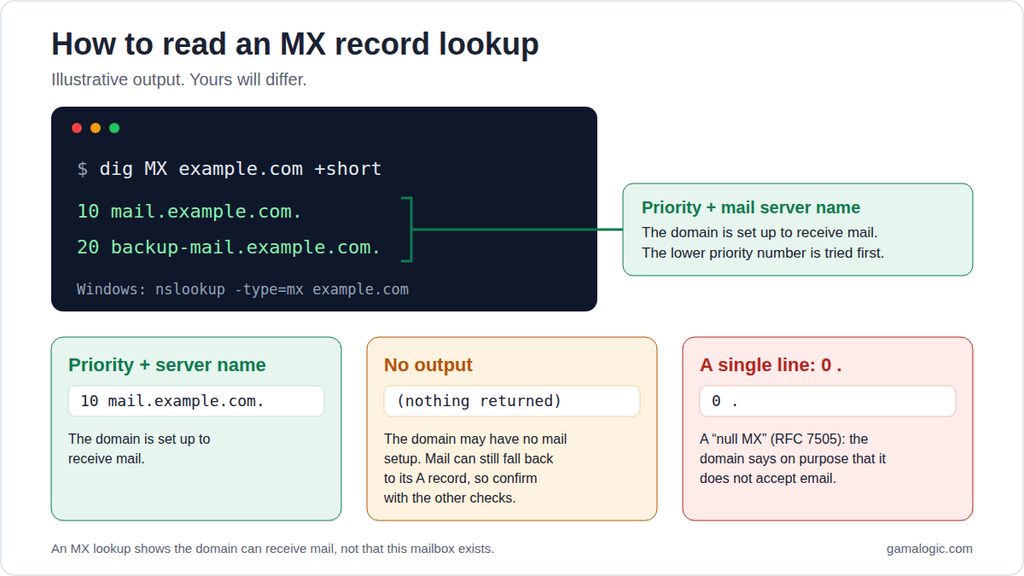
How to read the result:
0 .: this is a “null MX” (RFC 7505). The domain has deliberately said it does not accept email.Limit: this confirms the domain can receive mail. It does not confirm that this particular mailbox exists.
Search the exact address in quotes. Also try site:company.com "name", and look the person up on LinkedIn or the company’s team page. Compare with how the company writes its other addresses (firstname.lastname@, first initial plus surname@). A match with a known pattern raises your confidence.
Be careful: only use public information, and do not try to reset passwords or otherwise probe accounts that are not yours. Limit: many real people have no public trace of their address.
There are two manual ways, and both have serious drawbacks.
Option A: Send a test email. If the address does not exist, the server usually returns a bounce message, often with the code 550 5.1.1 (“user unknown”).
Option B: Talk to the mail server (SMTP). Technical users can ask a mail server whether it would accept mail for the address, then disconnect before anything is sent. In practice this is unreliable: many networks block port 25, many servers accept every address or answer slowly on purpose, and repeated probing from your own IP can get it flagged.
This is why a dedicated verifier exists. It runs the SMTP check at scale, from managed infrastructure, and interprets the odd answers. For how that works in detail, see how to verify an email address without sending an email.
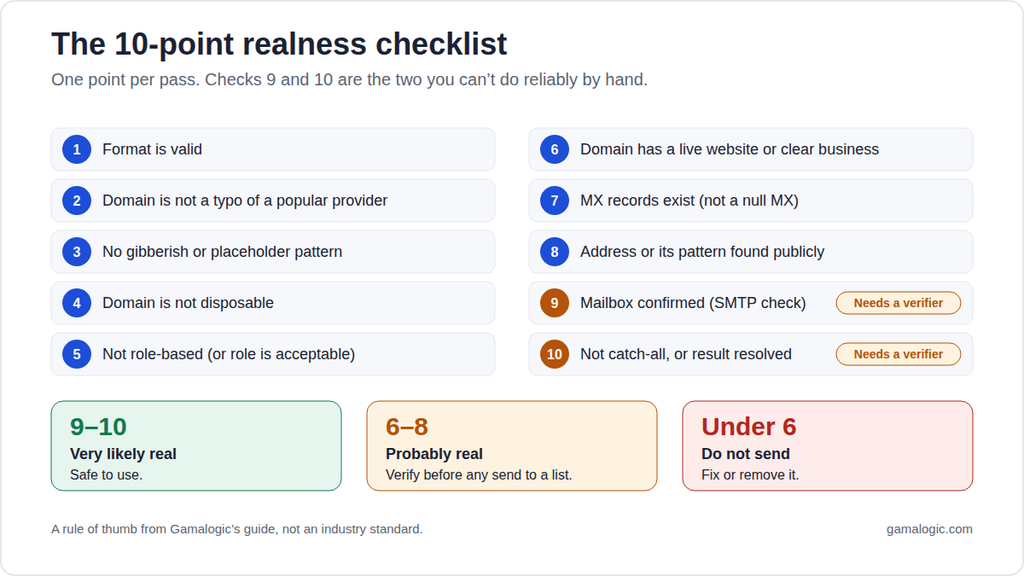
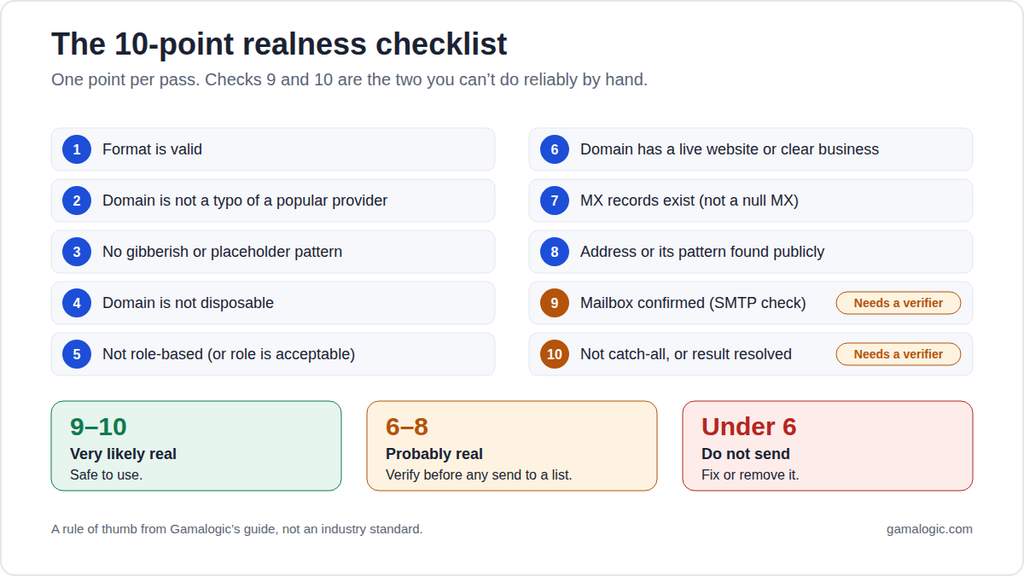
Score the address. This is a rule of thumb we use, not an industry standard.
| # | Check | Pass = 1 point |
|---|---|---|
| 1 | Format is valid | |
| 2 | Domain is not a typo of a popular provider | |
| 3 | No gibberish or placeholder pattern | |
| 4 | Domain is not disposable | |
| 5 | Not a role-based address (or role is acceptable for your purpose) | |
| 6 | Domain has a live website or clear business | |
| 7 | MX records exist (and are not null MX) | |
| 8 | Address or its pattern is found publicly | |
| 9 | Mailbox confirmed by an SMTP-level check | |
| 10 | Domain is not catch-all, or the catch-all result is resolved |
Reading your score:
Notice that checks 9 and 10 are the two you cannot reliably do by hand.
These are made-up examples for illustration.
| Address | What it shows | Verdict |
|---|---|---|
| jane.doe@gmial.com | Typo domain | Invalid. Likely meant gmail.com |
| asdfgh123@gmail.com | Keyboard mashing | Suspicious |
| test@test.com | Placeholder | Fake |
| randomuser@mailinator.com | Disposable provider | Risky. Will expire |
| info@acme-example.com | Shared inbox | Real but low value for outreach |
| jane.doe@acme-example.com | Plausible, matches company pattern | Needs a mailbox check |
| anyname@catchall-example.com | Domain accepts all mail | Cannot be confirmed by hand |
Even a perfect score on checks 1 to 8 leaves three blind spots:
| Manual | Verification tool | |
|---|---|---|
| Time per address | 5 to 15 minutes | Seconds |
| Confirms mailbox exists | Rarely and unreliably | Yes, with SMTP-level checks |
| Handles catch-all and protected servers | No | Yes, with dedicated logic |
| Risk to your sending reputation | Possible if you send tests | None, no message is sent |
| Scales to a list | No | Yes, in bulk or by API |
| Cost | Your time | Free single check, paid for volume |
Switch to a tool when: you have more than a handful of addresses, you are about to send a campaign, you collect signups, or the address matters (a key lead, a paying customer).
You can check one address with Gamalogic’s fake email checker, clean a list with email validation, or stop bad addresses at the form with the email validation API.
If you got a message and you are not sure it is genuine, the address checks above do not help much. A scammer can use a perfectly valid address. Check these instead.
paypal.com.secure-login.example, the real domain is secure-login.example, not paypal.com.For anything involving money, passwords or company systems, ask your IT or security team before acting. This section is general guidance, not a substitute for them.
How do I check if an email is real? Check the format, look for typo and fake patterns, confirm the domain has MX records, and then confirm the mailbox with an SMTP-level check. The last step needs a verification tool, because manual methods are unreliable.
Can I check if an email exists without sending an email? Yes. A verifier checks the domain’s DNS and MX records, then asks the mail server whether it would accept mail for the address, and disconnects before sending anything. The recipient is never notified.
How can I tell if an email address is fake? Look for a mistyped domain, keyboard-mashing or random strings, placeholders such as test@test.com, a disposable provider, or a domain with no website and no MX records.
Is there a free way to check if an email address is real? Yes. Use the manual checks above for a quick look, or a free tool such as Gamalogic’s fake email checker for a single address. For more, see how to check if an email address is valid for free.
Does a message that doesn’t bounce mean the email is real? No. Catch-all domains accept every address, and some real mailboxes are never read. A missing bounce is weak evidence.
Can I tell if an email is real just from the domain? Only partly. A real domain with MX records means the address could exist. It does not show that this mailbox does.
What does “risky” or “catch-all” mean? The domain accepts mail for any address, so a verifier cannot confirm this specific mailbox. Treat it as uncertain, and segment it or test it separately.
How do I check if an email I received is legitimate? Check the real sender address, look for look-alike domains, read SPF, DKIM and DMARC in the headers, hover over links, and confirm through a trusted channel. See Part 2.
Is it legal to check whether someone’s email address is valid? Verifying an address is standard data-quality practice and checks deliverability, not identity. Do not use it to harass anyone, and follow privacy rules such as GDPR where they apply.
How do I check many email addresses at once? Manual checks do not scale. Use bulk email validation or the API. See the bulk validator guide.
What is the difference between email validation and email verification? Validation usually means format and technical checks. Verification usually adds the mailbox-level SMTP check. See email verification vs email validation.
You can catch most obviously fake addresses by hand: typos, placeholders, disposable domains and missing MX records. What you cannot do reliably by hand is prove a specific mailbox exists, especially on catch-all and protected domains. Use the checklist for a quick judgement, and switch to a verifier when the address, or the list, matters.
Check an address now: use the free fake email checker, or get 500 credits for 7 days to validate a list.


Many businesses blame poor results on changing trends, but the real issue is execution. Generic templates, scraped lead lists, and surface level personalization have flooded inboxes with noise. The result is predictable: low open rates, even lower replies, and the mistaken belief that cold email no longer works.

Are hidden email validation mistakes draining your subscribers and revenue? Discover the 10 most common errors businesses make—and how to fix them before they sabotage your marketing success.
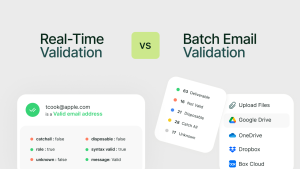
Real-Time vs Batch Email Validation: When to Use Each? In this guide, we’ll break down the difference between real-time and batch (bulk) email validation


 No credit card required
Post your Comment.